| Graphics | |
Line Plots of Matrix Data
When you call the plot function with a single matrix argument
plot(Y)
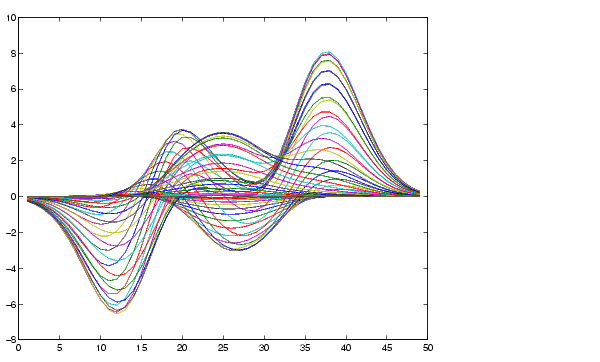
MATLAB draws one line for each column of the matrix. The x-axis is labeled with the row index vector, 1:m, where m is the number of rows in Y. For example,
Z = peaks;
returns a 49-by-49 matrix obtained by evaluating a function of two variables. Plotting this matrix
plot(Z)
produces a graph with 49 lines.
In general, if plot is used with two arguments and if either X or Y has more than one row or column, then
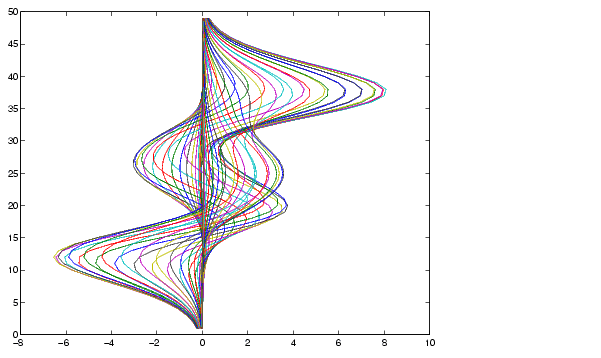
Y is a matrix, and x is a vector, plot(x,Y) successively plots the rows or columns of Y versus vector x, using different colors or line types for each. The row or column orientation varies depending on whether the number of elements in x matches the number of rows in Y or the number of columns. If Y is square, its columns are used.X is a matrix and y is a vector, plot(X,y) plots each row or column of X versus vector y. For example, plotting the peaks matrix versus the vector 1:length(peaks) rotates the previous plot.y = 1:length(peaks); plot(peaks,y)
X and Y are both matrices of the same size, plot(X,Y) plots the columns of X versus the columns of Y.You can also use the plot function with multiple pairs of matrix arguments.
plot(X1,Y1,X2,Y2,...)
This statement graphs each X-Y pair, generating multiple lines. The different pairs can be of different dimensions.
| | Setting Default Line Styles | Plotting Imaginary and Complex Data | |