| Graphics | |
Creating Plots
The plot function has different forms depending on the input arguments. For example, if y is a vector, plot(y) produces a linear graph of the elements of y versus the index of the elements of y. If you specify two vectors as arguments, plot(x,y) produces a graph of y versus x.
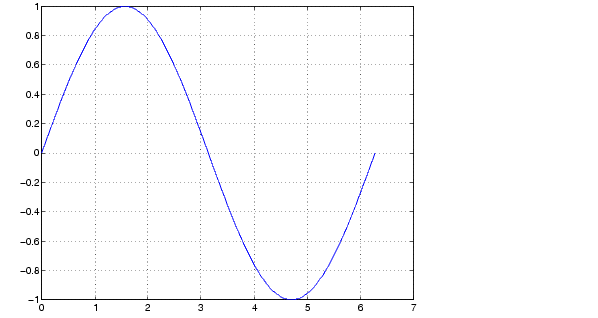
For example, these statements create a vector of values in the range [0, 2 ] in increments of /100 and then use this vector to evaluate the sine function over that range. MATLAB plots the vector on the x-axis and the value of the sine function on the y-axis.
t = 0:pi/100:2*pi;
y = sin(t);
plot(t,y)
grid on
MATLAB automatically selects appropriate axis ranges and tick mark locations.
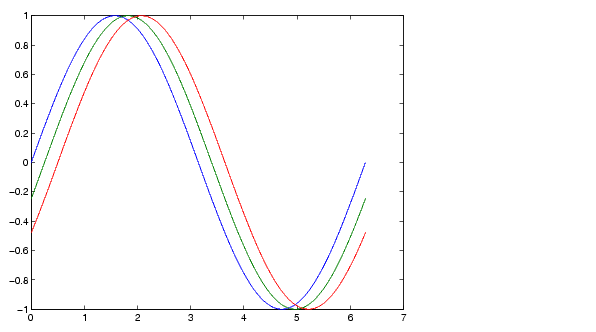
You can plot multiple graphs in one call to plot using x-y pairs. MATLAB automatically cycles through a predefined list of colors to allow discrimination between each set of data. Plotting three curves as a function of t produces
y2 = sin(t-0.25);
y3 = sin(t-0.5);
plot(t,y,t,y2,t,y3)
| | Basic Plotting | Specifying Line Style | |