| Image Processing Toolbox | |
Syntax
B = imrotate(A,angle,method)
B = imrotate(A,angle,method,'crop')
Description
B = imrotate(A,angle,method) rotates the image A by angle degrees in a counter-clockwise direction, using the specified interpolation method. method is a string that can have one of these values:
'nearest' (default) uses nearest neighbor interpolation.'bilinear' uses bilinear interpolation.'bicubic' uses bicubic interpolation.If you omit the method argument, imrotate uses the default method of 'nearest'.
The returned image matrix B is, in general, larger than A to include the whole rotated image. imrotate sets invalid values on the periphery of B to 0.
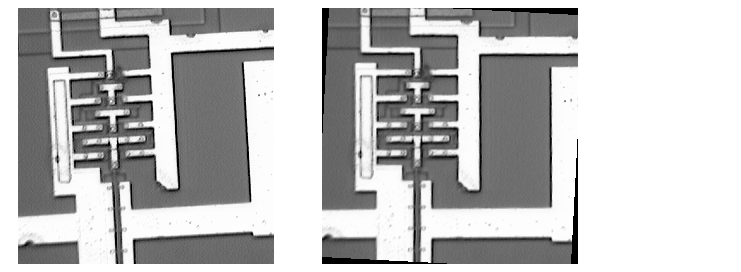
B = imrotate(A,angle,method,'crop') rotates the image A through angle degrees and returns the central portion which is the same size as A.
Class Support
The input image can be of class uint8, uint16, or double. The output image is of the same class as the input image.
Remarks
To rotate the image clockwise, specify a negative angle.
Example
I = imread('ic.tif');
J = imrotate(I,-4,'bilinear','crop');
imshow(I)
figure, imshow(J)
See Also
| | imresize | imshow | |