

| Requirements Management Interface | |
Overview of the Process
This diagram depicts how the Requirements Management Interface associates objects with requirements documents.
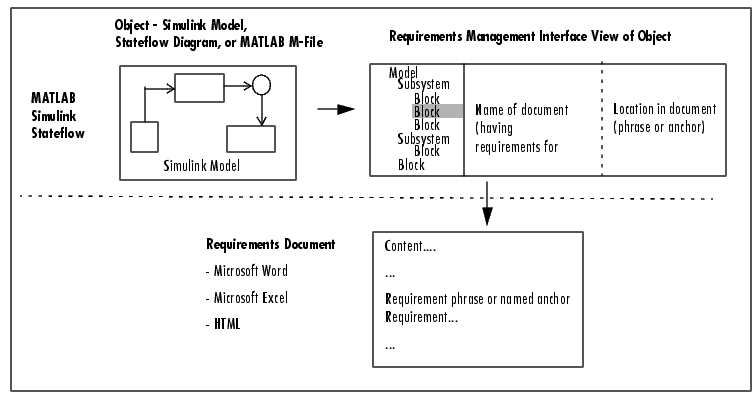
Figure 1-1: How the Requirements Management Interface Works with Requirements Documents
Summary of Steps to Use the Requirements Management Interface
| Step |
Description |
| Start the Requirements Management Interface - see Startup. |
|
| In the Requirements Management Interface Navigator, open an object (Simulink model, Stateflow diagram, or MATLAB M-file) - see Opening an Object in the Navigator. |
|
| In the Navigator, add requirements for elements in the object - see Adding Requirements. |
|
For an object that has associated requirements, you can use the Navigator to:
|
| | Using the Requirements Management Interface | Startup | |