| Target Language Compiler | |
Tips for Debugging TLC Code
Here are a few tips that will help you to debug your TLC code:
Using the TLC Debugger
This section provides a tutorial that illustrates the steps for invoking and using the TLC debugger with Simulink and RTW generated code. The files and models for this example are in
matlabroot/toolbox/rtw/rtwdemos/tlctutorial/tlcdebug/
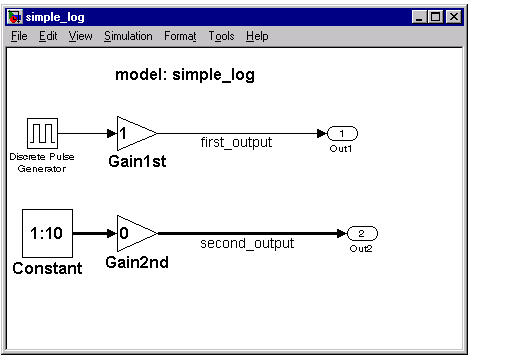
This tutorial uses the simple_log model and the gain.tlc TLC file located in this directory.
For the purpose of this tutorial, the TLC file contains a bug, so this function cannot be used in an actual scenario.
Generate the Results
simple_log model, which contains a Gain block. Note that the gain.tlc used here will be the one in the current directory as the model. This is the simple_log model.tout and yout to the workspace, which you can view by selecting View -> Workspace from the MATLAB desktop menu.simple_log.mat. (For more information about the build process, see the Real-Time Workshop User's Guide.)simple_log.mat file. The result from Simulink, yout, does not match the Real-Time Workshop result, rt_yout, because the TLC code contains a bug. You must debug the TLC code to identify the problem.Invoke the Debugger
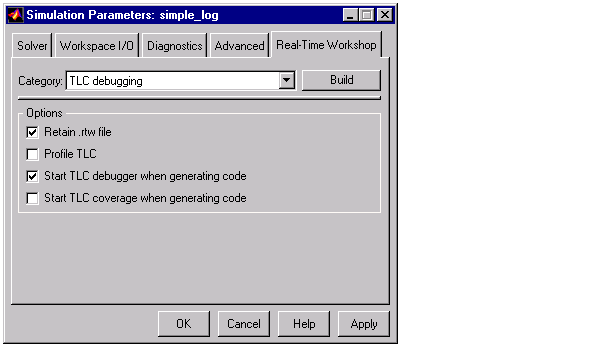
-dc to the System target file field in the Real-Time Workshop page of the Simulation Parameters dialog box. The dialog box should look like this.You can now set breakpoints, explore the contents of RTW file, and explore
variables in your TLC file using print, which, or whos.
An alternate way to invoke the TLC debugger is from the MATLAB prompt. (This assumes you retained the model.rtw file in the project directory.) Use the following command and replace matlabroot with the full pathname to the location where MATLAB is installed on your system.
tlc -dc -r ./simple_log_grt_rtw/simple_log.rtw 'matlabroot/rtw/c/
grt/grt.tlc' -O./simple_log_grt_rtw '-Imatlabroot/rtw/c/grt'
'-Imatlabroot/rtw/c/tlc'
| | Debugging TLC | TLC Debugger Commands | |