| Real-Time Windows Target | |
Plotting Logged Signal Data
You can use the MATLAB plotting functions for visualizing nonreal-time simulated data or real-time application data.
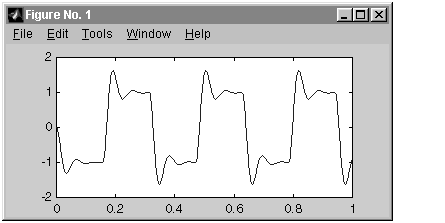
After running your real-time application and logging data to the MATLAB workspace, you can plot the data. This procedure uses the Simulink model rtwin_model.mdl as an example, and assumes you saved your data to the variable ScopeData:
MATLAB lists the structure of the variable ScopeData. The variable
ScopeData is a MATLAB structure containing the fields time vector, signal
structure, and a string containing the block name.
ScopeData =
            time: [10000x1 double]
      signals: [1x1 struct]
    blockName: 'rtwin_model/Scope'
To list the contents of the structure signals, type
ScopeData.signals
MATLAB lists the structure of the variable ScopeData.signals. This
structure contains one or more vectors of signal data depending on the
number of signal inputs to the Scope block.
ans =
       values: [10000x1 double]
        label: ''
        title: ''
    plotStyle: 1
ScopeData is not automatically saved to your hard disk. To save the variable ScopeData, typesave ScopeData
| | Entering Signal and Triggering Properties | Signal Logging to a Disk Drive | |