| Real-Time Windows Target | |
Plotting Logged Signal Data
You can use the MATLAB plotting functions for visualization of your nonreal-time simulated data or your real-time executed data.
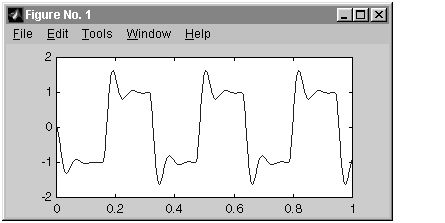
After running your real-time application and logging data to a disk drive, you can plot the data. This procedure uses the Simulink model rtwin_model.mdl as an example, and assumes you saved your data to the variable ScopeData:
MATLAB lists the structure of the variable ScopeData. The variable
ScopeData is a MATLAB structure containing the fields time vector, signal
structure, and a string containing the block name.
ScopeData =
            time: [10000x1 double]
      signals: [1x1 struct]
    blockName: 'rtwin_model/Scope'
plot(ScopeData_0.time(1:1000),ScopeData_0.signals.values(1:1000)
)
| | Entering Data Archiving Parameters | Parameter Tuning | |