

| Signal Processing Toolbox | |
Applying a Filter to a Signal
When you apply a filter to a signal, you create a new signal in SPTool representing the filtered signal.
To apply the filter filt1 you just created to the signal noise:
noise[vector] from the Signals list and select the filter (named filt1[design]) from the Filters list, as shown below.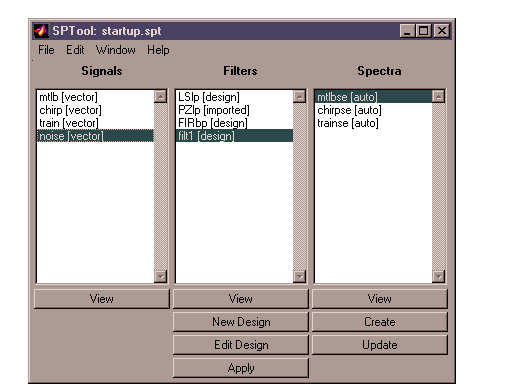
filt1 to the signal noise.
The Apply Filter dialog box is displayed.
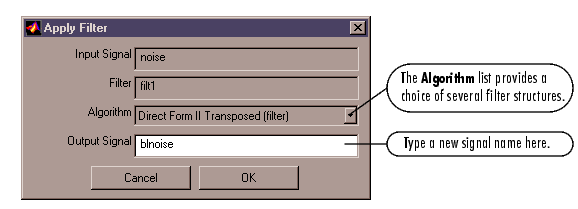
blnoise in the Output Signal field in this dialog box.
The filter is applied to the selected signal and the filtered signal
blnoise[vector] is listed in the Signals list in SPTool.
| | Designing a Filter | Analyzing Signals: Opening the Signal Browser | |