| Real-Time Workshop User's Guide | |
Adding a Custom Target to the System Target
File Browser
As a convenience to end users of your custom target configuration, you can add a custom target configuration to the System Target File Browser. To do this:
%% SYSTLC: John's Real-Time Target \
%%    TMF: mytarget.tmf  MAKE: make_rtw EXTMODE: no_ext_comm
<targetname> (e.g., /mytarget). Move your custom system target file, custom template makefile, and run-time interface files (such as your main program and S-functions) into the <targetname> subdirectory.
addpath <targetname>
If you want <targetname> included in the MATLAB path each time
MATLAB starts up, include this addpath command in your startup.m file.
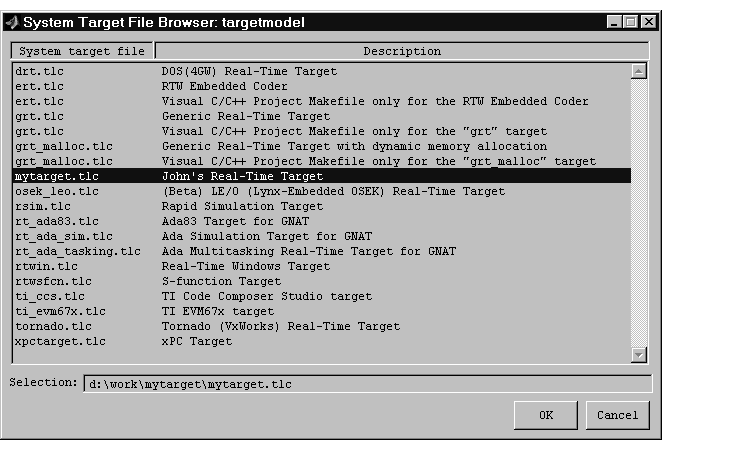
mytarget.tlc, which contains the browser comments above, appears in the System Target File Browser.
Figure 17-4: Custom System Target File Displayed in Browser
| | System Target File Structure | Template Makefiles | |